
Download MTools Ultimate Excel Tools – Excel tools, spreadsheet enhancement, data reporting, hidden documents, Excel add-on, productivity app, time-saving tools, Microsoft Excel utility
Overview
MTools Ultimate Excel Tools is a specialized add-on designed to enhance the functionality of Microsoft Excel on Windows systems. Its primary purpose is to streamline data management tasks by introducing new tools that help users work more efficiently and reduce manual effort. The app targets professionals, analysts, and anyone who relies heavily on Excel for daily tasks such as report generation, data compilation, and document handling. By integrating directly into the Excel interface, it provides immediate access to advanced features without requiring users to switch between applications.
The tool addresses common pain points in spreadsheet workflows, such as time-consuming report creation and the need for secure handling of sensitive data. With features like quick report generation and hidden document creation, MTools helps users save valuable time and maintain confidentiality. These capabilities are particularly beneficial in finance, project management, and administrative roles where accuracy and efficiency are critical.
Developed by MTools, the application has been available since January 28, 2014, indicating a long-standing presence in the productivity software space. Although specific details about the development team or company background are not provided, the app’s longevity suggests a stable and functional design. It operates as a lightweight utility that enhances Excel without disrupting existing workflows.
Real-world use cases include automating routine reporting, protecting confidential data within shared workbooks, and simplifying complex data formatting tasks. In the broader app ecosystem, MTools fills a niche for specialized Excel enhancements, offering a focused solution for users seeking performance boosts without the complexity of full-featured software suites.
Key Features & Functionality
- Quick Report Generation: This feature enables users to compile and format detailed reports directly from raw data with minimal manual input. By leveraging predefined templates and automated formatting rules, users can transform datasets into professional-looking reports in seconds, significantly reducing the time required for data presentation.
- Hidden Document Creation: Users can create documents within Excel that remain concealed from casual viewers. This functionality supports data privacy by allowing sensitive information to be stored securely while still being accessible to authorized users who know how to reveal them.
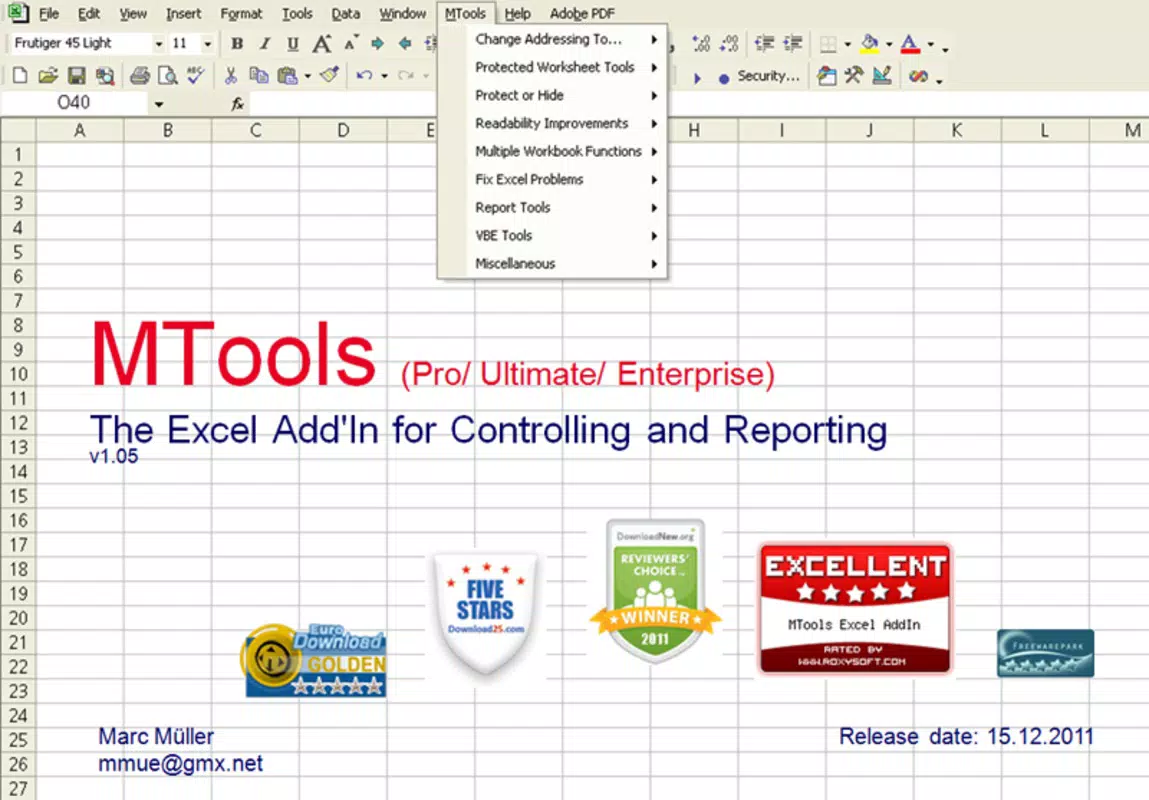
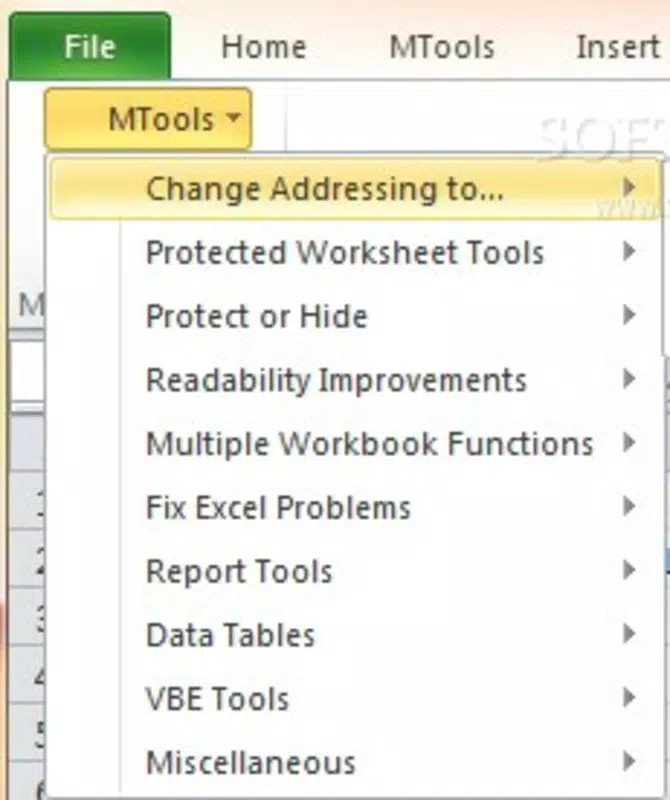
- Seamless Integration: Upon installation, a new “MTools” button appears on the Excel toolbar. This intuitive addition allows immediate access to all enhanced features without altering the native Excel interface or requiring users to learn new navigation patterns.
- Lightweight Application: The add-on is designed to consume minimal system resources, ensuring it does not slow down Excel performance. With a file size of just 4.2 MB, it installs quickly and operates efficiently even on older or low-resource machines.
For example, a financial analyst can use the report generation tool to create monthly summaries from large datasets in minutes, while a project manager might use hidden document creation to safeguard budget details from unauthorized access. These real-world applications demonstrate how the app enhances both productivity and data security in practical scenarios.
Interface, UX & Performance
The user interface of MTools Ultimate Excel Tools is intentionally minimal and focused. After installation, a single “MTools” button appears on the Excel toolbar, serving as the central access point for all features. This design choice prioritizes simplicity and avoids clutter, maintaining the familiar Excel environment while adding powerful functionality.
Navigating through the tool’s features is straightforward, with clearly labeled options that guide users through each function. The layout remains consistent across sessions, reducing the learning curve and supporting efficient workflow integration. Users do not need to switch contexts or open separate windows to access the tools, which enhances usability.
Although the developer did not list formal performance metrics, the lightweight nature of the application (4.2 MB) suggests it operates efficiently without impacting Excel’s responsiveness. It is designed to run smoothly on a variety of Windows systems, including older configurations, ensuring broad accessibility.
Stability appears to be a core design principle, as the tool integrates into Excel without altering its core behavior. Users can expect consistent performance across different file types and data volumes. However, specific compatibility details with Excel versions were not disclosed, so users should verify functionality based on their current setup.
Platform Compatibility & Technical Requirements
MTools Ultimate Excel Tools is available exclusively for Windows, making it compatible with desktop versions of Microsoft Excel on Windows operating systems. The app’s version is listed as 1.0.0.1, indicating a stable release with a long history of use since its initial launch in 2014.
The application has a file size of 4.2 MB, which is notably small for a software add-on. This suggests a compact codebase and minimal resource consumption, ideal for users with limited storage or slower systems. The lightweight footprint also implies a quick installation process with little system impact.
The developer did not specify minimum OS requirements or supported Excel versions. As such, users are advised to ensure their system meets the baseline needs of running Microsoft Excel before attempting installation. Compatibility with newer Excel updates or Windows versions cannot be confirmed without additional information from the developer.
Pros and Cons
- Free to download and use, making it accessible to all users
- Lightweight design with minimal system impact
- Seamless integration into Excel’s interface
- Provides time-saving tools for data reporting and document protection
- Long-standing availability suggests reliability and stability
- Compatibility with specific Excel versions was not disclosed
- Platform is limited to Windows only
- No official update history or changelog provided
- Developer details and support channels are not publicly available
- Interface remains basic; no advanced customization options
FAQ
Is MTools Ultimate Excel Tools safe to install?
Yes, the app is designed as a lightweight add-on for Excel and does not contain known malware. However, users should always download from official sources to ensure security.
Can I use MTools with older versions of Excel?
While the app has been available since 2014, specific compatibility with older Excel versions was not listed by the developer. Users should test the tool on their system to confirm functionality.
Is MTools Ultimate Excel Tools available for Mac or mobile devices?
No, the application is currently only available for Windows. There is no official version for macOS, iOS, or Android platforms.
How do I install MTools Ultimate Excel Tools?
Installation typically involves downloading the file and running the setup. Once completed, the “MTools” button will appear in Excel’s toolbar. Detailed instructions may vary depending on the source.
Does MTools require an internet connection to work?
Based on available information, the app does not appear to require an active internet connection after installation. It functions as a local add-on within Excel.
Final Thoughts
MTools Ultimate Excel Tools stands out as a focused, efficient utility for users seeking to boost their productivity within Microsoft Excel. Its ability to streamline report creation and enhance data privacy through hidden document features makes it a valuable asset for professionals in finance, administration, and project management. The app’s lightweight design ensures it doesn’t hinder Excel’s performance, and its seamless integration maintains a clean, familiar interface.
While it lacks advanced customization and detailed support documentation, its core functionality delivers real benefits for users who work extensively with spreadsheets. The fact that it’s free and has been in use for over a decade adds to its credibility and appeal.
For anyone looking to save time, improve data handling, and maintain confidentiality in Excel workflows, MTools Ultimate Excel Tools offers a practical and reliable solution. Download MTools Ultimate Excel Tools now


